The family organizer your family owns.
Your family's calendar, to-dos, shopping, chores, meals and messages in one shared place, on your own computer and your own phones. No company in the middle, no ads, nothing sold.
Free and open source (MIT) · No ads or tracking · Works offline
For Apple silicon and Intel Macs. Windows is coming next.
- Your data stays yours
- No ads, no tracking
- Free and open source
- Works offline
Built so your family's life stays your family's.
Most family apps keep your family's life on someone else's servers, in a format only they can use, and pay for it with a subscription or with your data. Yggltree works the other way round: it runs on your own computer and phones, the code is open for anyone to read, and nobody sits in the middle.
Your data, your control.
It lives on your family's computer and phones. Back it up, open the folder, and take it with you. Nobody else holds the keys.
Nobody in the middle.
No account with us, no ads, no tracking, and nothing sold. We run no servers, so we never see your data. The relay is on your own Cloudflare account and only ever holds scrambled data.
Room for what matters.
A calendar, a shopping list and a chore chart should help a family spend time together, not become another feed. There is no feed to scroll, and notifications only say that something changed.
Software you own.
Free and open source under the MIT License. Read it, change it, share it. It doesn't depend on us staying around.
Everything the household runs on, in one place.
Every tool knows the same family members, so an assignment or a balance reads the same from one screen to the next.
See it in action.
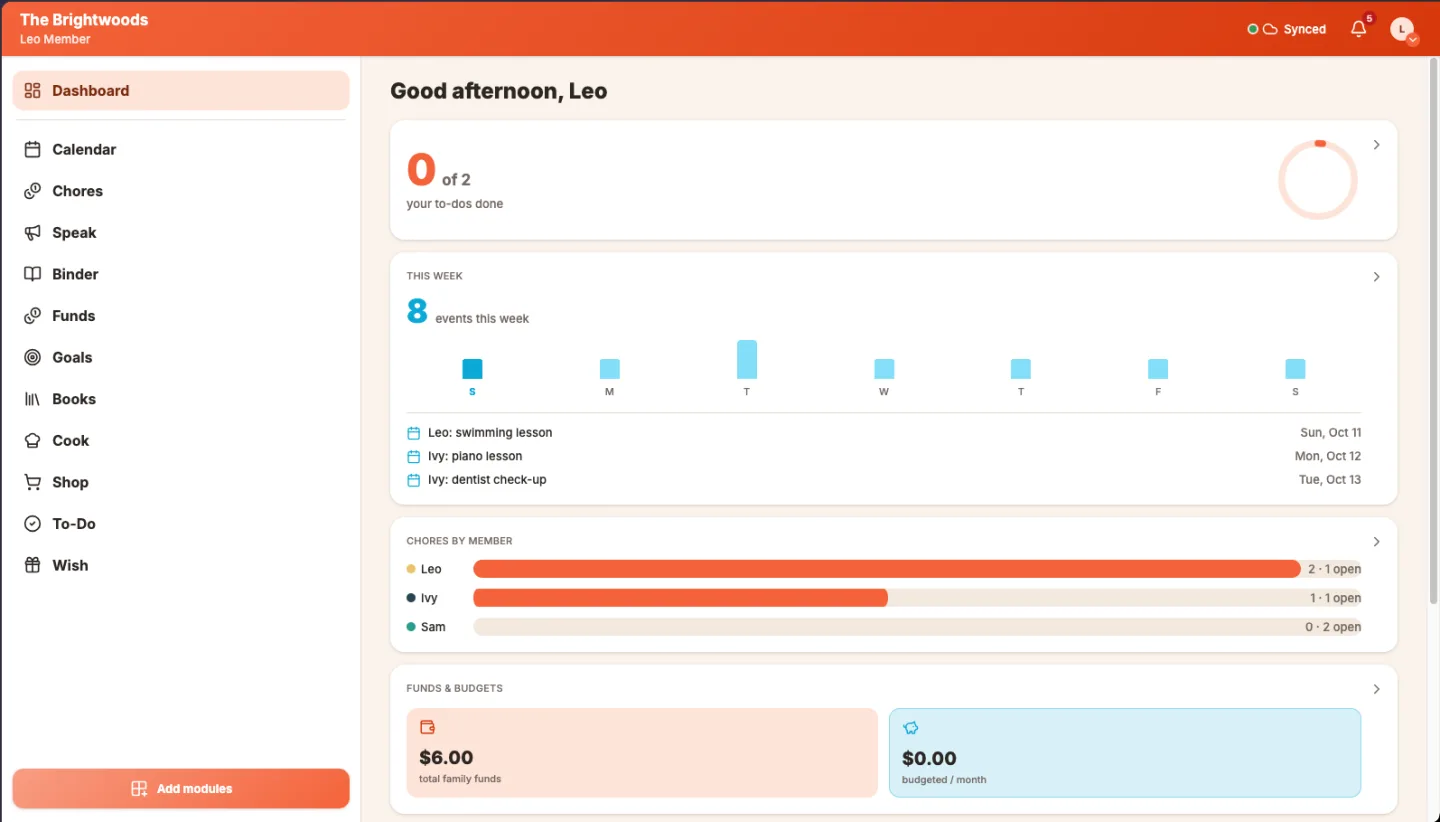
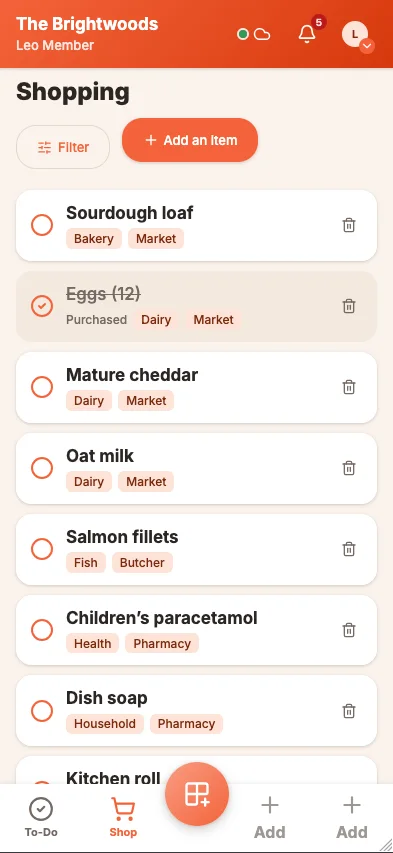
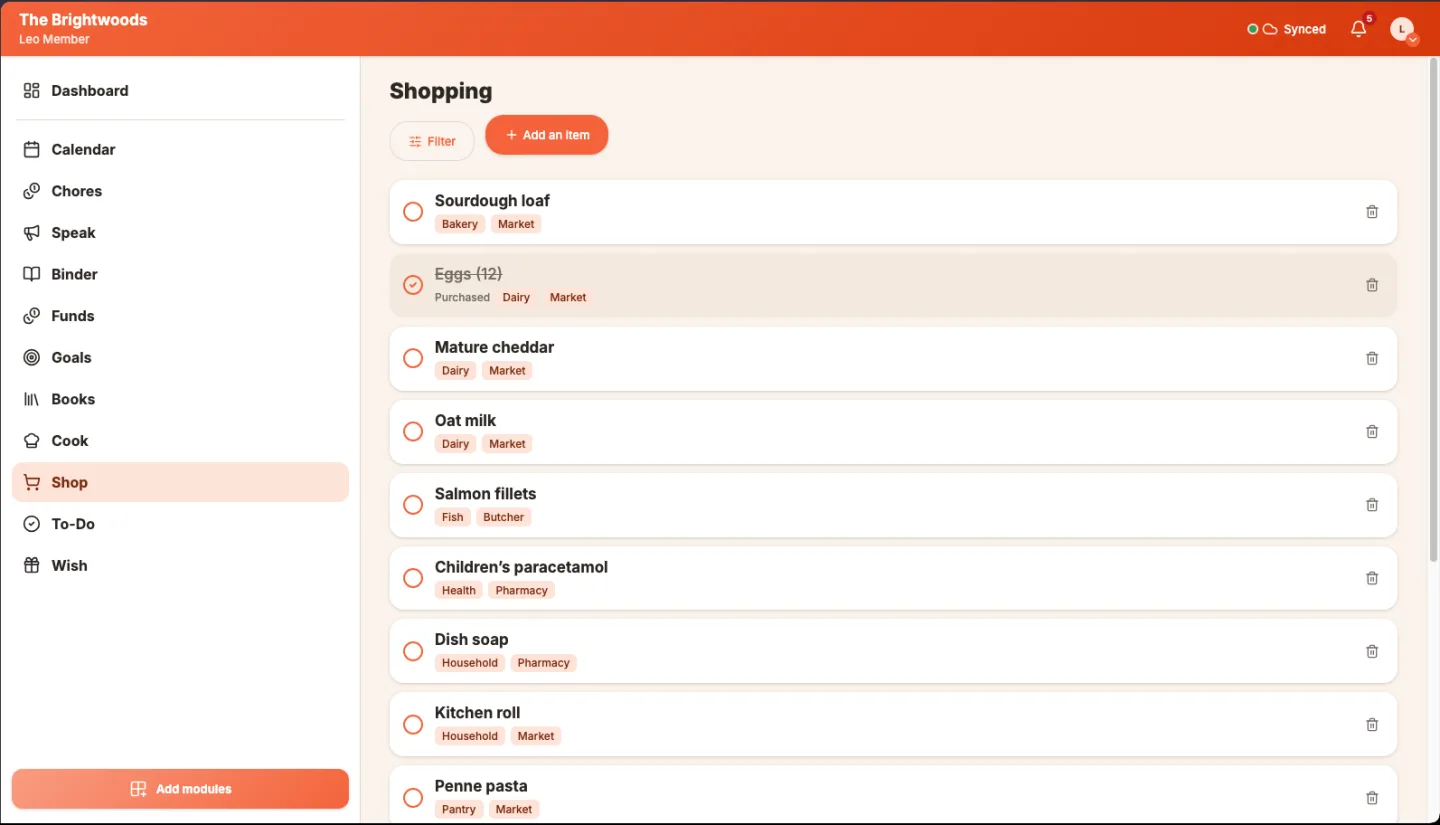
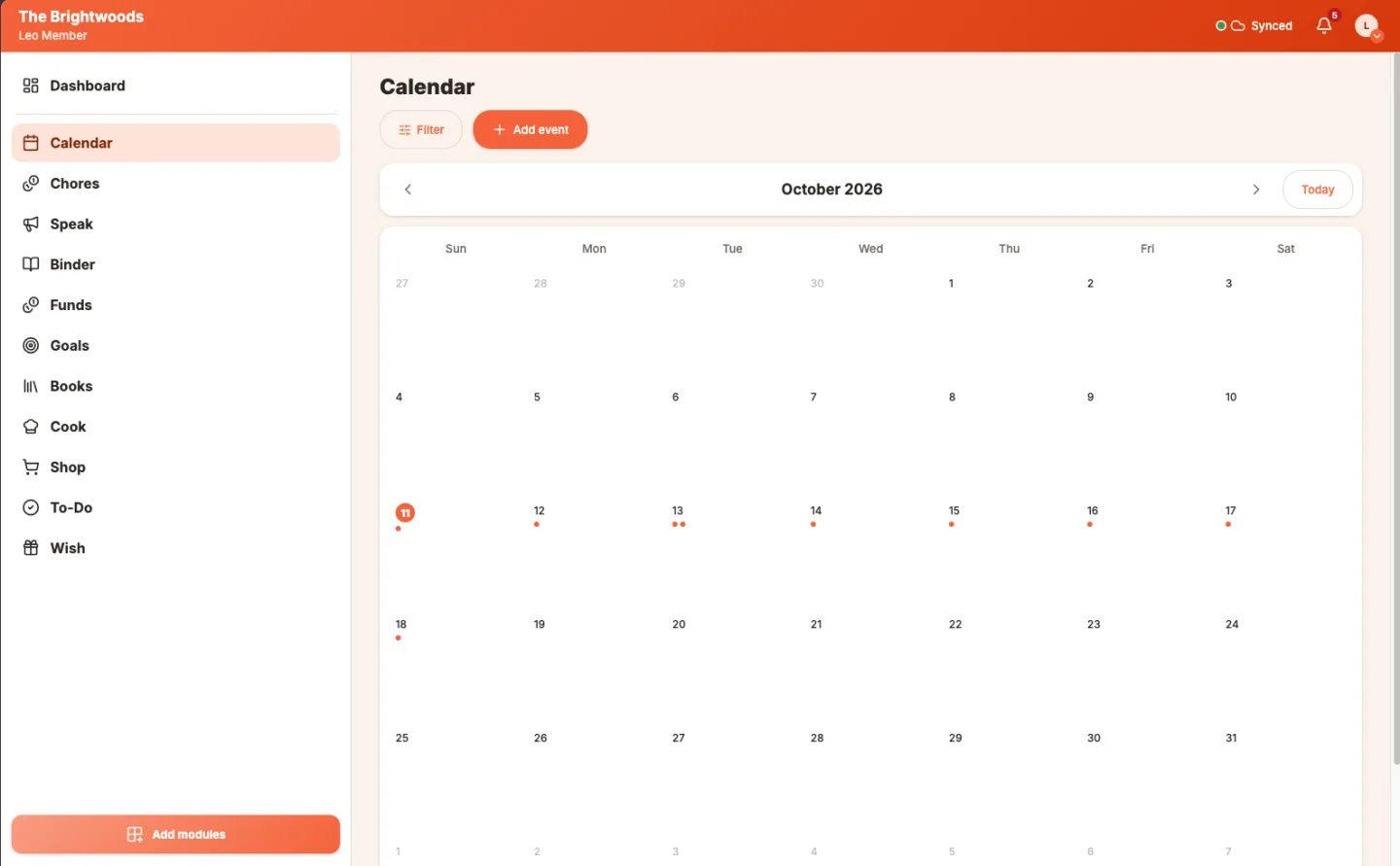
Real screens from the app, from a made-up family. Browse them with the arrows or the dots.
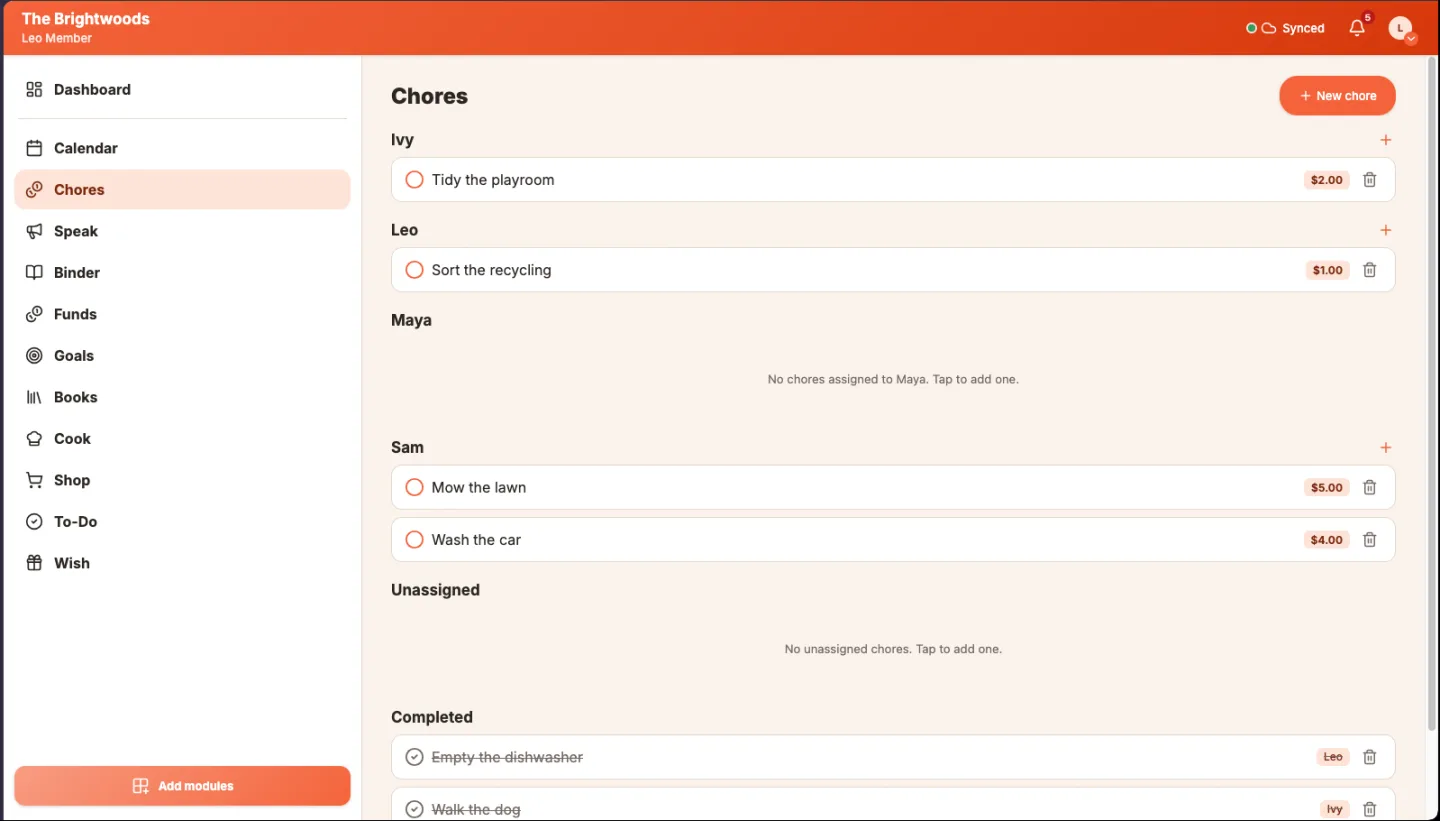
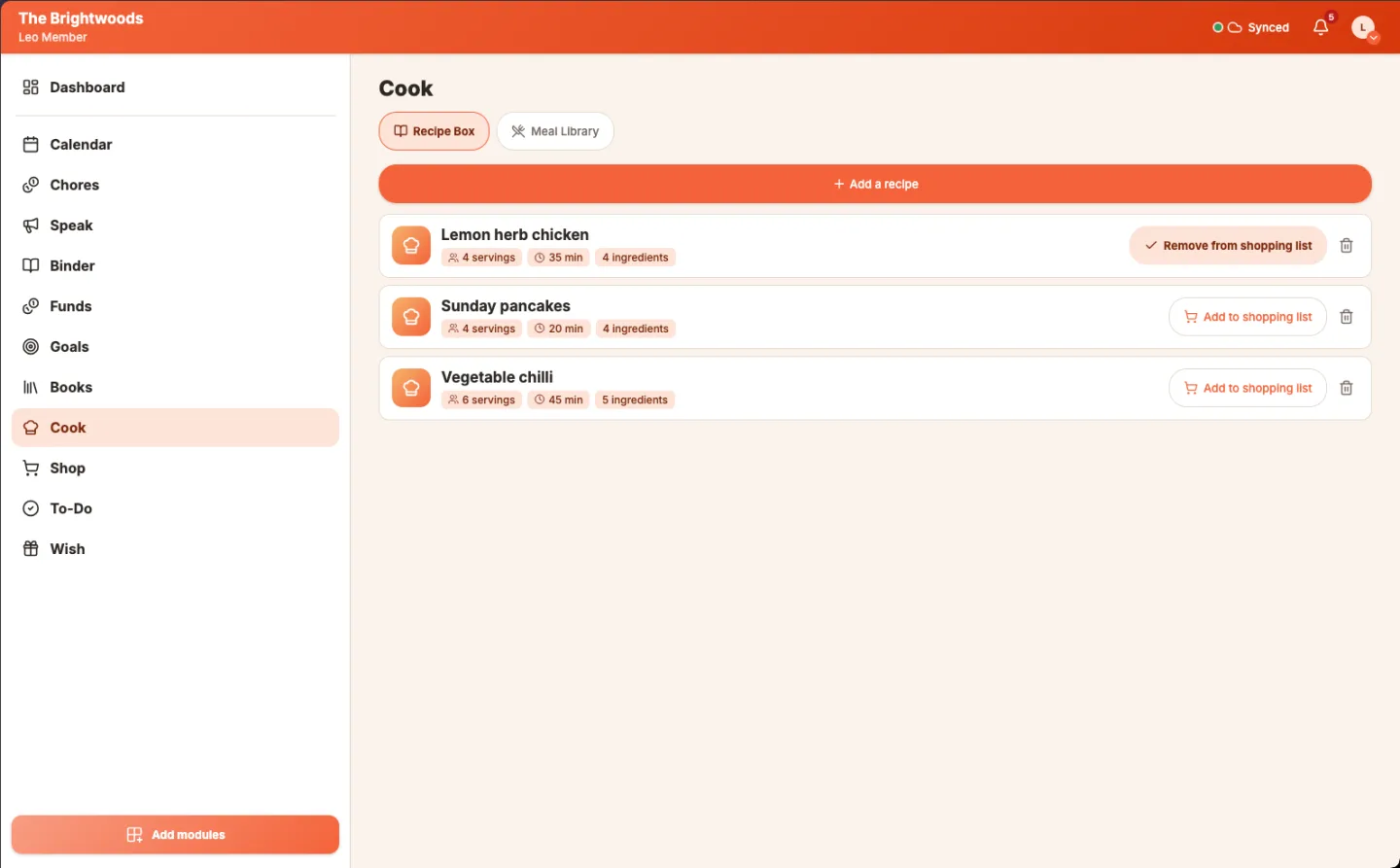
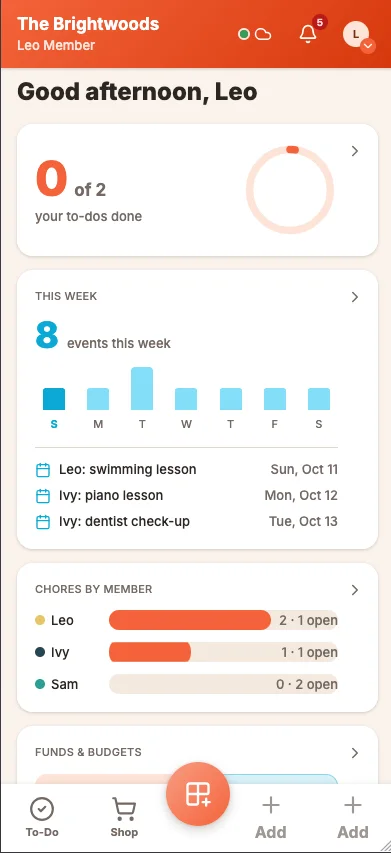
Your family’s colors.
Yggltree comes in eight color themes. Each person picks their own in Settings, and the app follows them to every device they sign in on: buttons, icons and every tool. Try them here, and this page changes with you.
Coral is showing. The page, its illustrations and its buttons change with it. The screens above stay in the Brightwoods’ coral look.
Built to grow, one module at a time.
Yggltree is a platform, not a fixed app. Every tool is a module on the same base, so new tools and better versions of the ones you have arrive over time.
Every tool is open to everyone.
Nothing to switch on. On a phone, each person pins up to four tools to their bottom menu, in the order they want, and the pins follow them to every device.
New modules share your family.
Every tool uses the same family members, colors and sync. A new module works with the calendar, to-dos and chores you already use.
Updates reach you.
When a new version is ready, the app tells you, so you can keep every tool current.
Private by design, in plain words.
Your family's information lives on your family's devices. To sync phones, the app passes it through a small relay on your own Cloudflare account. The relay only ever holds scrambled data. The key that unscrambles it is in the family link you share with your phones, so the relay can't read any of it.
Family computer
Keeps the full family data
Can read it
Your relay
Runs on your own Cloudflare account
Scrambled only
Each phone
Holds the key from the family link
Can read it
What the relay holds
Scrambled text. Nobody can read it without the key from the family link.
The same list after encryption, which is what the relay stores.
What your phone shows
- Milk
- Eggs
- Bread
- Ice cream
The same list, unscrambled on your phone.
- Your devices
- Read everything. Data moves only between your own devices and your own relay, and the relay only ever gets scrambled copies.
- Your relay, on your own Cloudflare account
- Stores scrambled copies and sees when devices connect. Cloudflare hosts it, but can't read the content.
- Phone push services (Apple, Google, Mozilla, Microsoft)
- Carry an encrypted "something changed" ping. They never see the content.
- Open Library, only when you look up a book by its ISBN
- Receives the ISBN, and the book's cover loads from it. Nothing else.
- GitHub, for the Mac app's daily check for a new version
- A plain request that sees the computer's internet address and nothing else. Turn it off in the menu bar.
- The Yggltree maintainers
- Nothing. There are no servers and no analytics.
Three steps, then it's just your family.
-
Install on the family computer.
Download the free Mac app from GitHub, drag it into Applications, and open it. Windows is coming next.
-
Set up your relay.
Create a free Cloudflare account and deploy the small relay to it. The setup guide walks you through each step.
-
Scan the code on each phone.
Open the family relay screen on the computer and scan its code with each phone. iPhones scan twice: once to open the page, and once inside the Home Screen app they install.
Your family's data stays yours to keep.
Automatic backups
While Yggltree runs, it saves a backup once a day if anything changed, and keeps the newest 14.
One-click full backup
Download everything, photos included, as one file you can keep anywhere, such as a USB stick or a cloud drive.
No lock-in
The source is open under the MIT license. The data sits in a folder you can open, and the app runs without us.
For the curious.
How the sync and the privacy work, for people who want the details.
- Changes merge, they don't overwrite. Each device edits its own copy, and the copies are merged with Yjs CRDTs, so two people editing offline end up with the same result.
- Scrambled before it leaves the phone. Data is encrypted with XChaCha20-Poly1305. The keys are derived from the family key with HKDF-SHA256.
- A small relay, on your own account. The relay runs on Cloudflare Workers with Durable Objects and stores only encrypted updates. Deleting it deletes its stored data.
- Read the code. The app, the family computer's server, and the relay are all in the repository, with developer notes in Yggltree_vault.
Questions people ask first.
Is it free?
The software is free and MIT licensed. The relay runs on your own Cloudflare account, and Cloudflare's free plan covers a family's use. Its limits are listed in the relay guide. Nothing is charged to a company.
Where is our data?
On your family computer and on your phones. The relay holds only encrypted copies, so that phones can sync.
Does it work offline or away from home?
Yes. Phones keep working without a connection, and changes sync when they reach the relay again. Mobile data works too.
Do we need to be technical?
No programming is needed. Setup is a few guided steps: a free Cloudflare account, starting the app on the computer, and scanning a code on each phone.
What if a phone is lost?
If you can reach that phone, turn the relay off on it from Settings. Removing one lost phone for good isn't built yet, and we say so plainly.
Do iPhones get notifications?
Yes, from the Home Screen app. Notifications only say that something changed, and tapping one opens the app.
Does it work on Android?
Yes, in Chrome. Scan the code on the family computer, and the phone joins the family.
What's the catch?
The catch is the setup. You run it yourself, so you need a computer that stays on at home and a free Cloudflare account. We would rather say that plainly than hide it behind a subscription.
Does Cloudflare see our data?
Cloudflare hosts your relay on your own account, so it stores scrambled copies and sees when devices connect. It can't read the content, because the key lives on your family's devices and in the family link.
Do you track us?
No. The product page and the app use no analytics or trackers, and the app's font is bundled rather than fetched from Google. Three things reach outside services: push notifications pass through the browser's push service as an encrypted ping, looking up a book by ISBN asks Open Library for its details and cover, and the Mac app's daily check asks GitHub whether a newer version exists. You can turn that check off in the menu bar.
Why isn't there a cloud version?
A cloud version would put your family's data back on someone else's servers, which is the thing Yggltree exists to avoid. A hub on a cloud account you control is on the roadmap, for families without an always-on computer.
Take your family's week back.
Free software, your own computer, and no one in the middle.